
Table of Contents
ToggleCategory
- Blog
- Branding
- Digital Marketing
- Graphic Design
- Nictiontech
- Real Estate
- Social Media Marketing
- Video Marketing
- Video Production
- Website Design
Recent Posts
- 5 Hidden Metrics That Prove Your Ads Are Suffering from Creative Fatigue
- How Al Is Changing Digital Marketing Services in India
- Performance Marketing for Real Estate Property: Leads, Ads & ROI
- How to Get Your Brand Mentioned in ChatGPT and AI Search Results
- How Real Estate Brands Can Use Reels & Shorts to Sell Properties
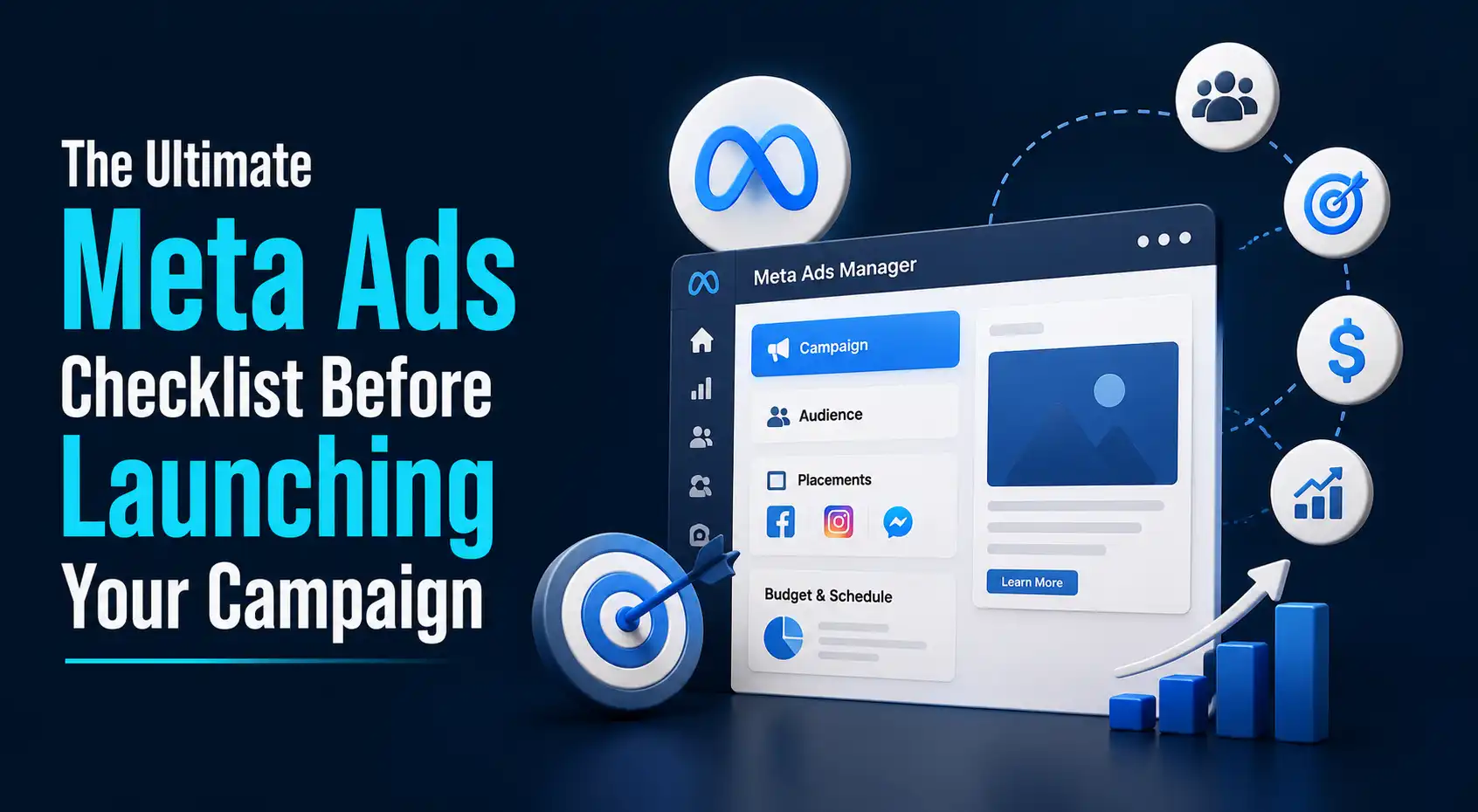
Launching a Meta Ads campaign without proper preparation can result in wasted budget, poor targeting, and low conversions. A complete Meta Ads checklist ensures your campaign is technically configured, accurately targeted, and optimized for performance before going live. From setting up Meta Pixel and Meta Ads Manager to creating compelling creatives and monitoring campaign performance, this guide covers every essential step for successful Meta Ads Optimization and long-term advertising success.
Define Your Campaign Objective
Every successful Meta Ads campaign starts with choosing the correct campaign objective. Selecting the wrong objective can cause Meta’s algorithm to optimize for the wrong outcome, reducing campaign performance and return on investment. Before launching your campaign, clearly identify what you want your advertising budget to achieve.
Brand Awareness
If your goal is to introduce your business to new audiences, Brand Awareness campaigns help maximize visibility. Meta shows your ads to users who are most likely to remember your brand, making this objective ideal for new product launches or businesses entering a new market.
Reach
Reach campaigns focus on displaying your advertisement to the maximum number of unique users within your selected audience. This objective works well for local businesses, event promotions, and time-sensitive announcements where broad visibility is more important than conversions.
Traffic
Traffic campaigns are designed to send visitors to your website, landing page, blog, or online store. Businesses that want to increase website sessions or educate potential customers before conversion often choose this objective.
Engagement
Engagement campaigns encourage users to interact with your content through likes, comments, shares, video views, and post interactions. These campaigns help improve social proof while increasing audience engagement and brand visibility.
Leads
Lead campaigns simplify customer acquisition by allowing users to submit inquiry forms directly within Facebook or Instagram. Businesses offering consultations, quotations, appointments, or downloadable resources often benefit from this campaign objective.
Sales
Sales campaigns are optimized to generate purchases, registrations, bookings, or other valuable business actions. Meta’s algorithm identifies users who are most likely to complete a conversion, making this objective ideal for e-commerce businesses and service providers.
App Promotion
Businesses promoting mobile applications should select App Promotion campaigns. These campaigns optimize delivery toward users most likely to install or actively use the application after downloading.
Set Up Meta Business Manager Correctly
A properly configured Meta Business Manager creates a strong foundation for campaign management. Incorrect account settings often lead to approval issues, tracking problems, or limited account functionality.
Business Manager Verified
Verify your business information to improve account security and establish credibility with Meta. Verified businesses generally experience fewer account-related issues and gain access to advanced advertising features.
Ad Account Created
Ensure that your advertising account is created correctly and associated with the appropriate business portfolio. Using a dedicated business ad account improves organization and simplifies campaign management.
Facebook Page Connected
Your Facebook Business Page should be connected to your Business Manager before launching advertisements. This allows your ads to display under your official business identity.
Instagram Account Linked
Connecting your Instagram Business Account enables advertisements to appear seamlessly across both Facebook and Instagram while simplifying campaign management.
Payment Method Verified
Confirm that your payment method is active and functioning properly. Failed payments can pause campaigns automatically and interrupt advertising performance.
Team Permissions Assigned
Businesses working with agencies or internal marketing teams should assign appropriate user roles and permissions. Grant only the required level of access to maintain account security.
Two-Factor Authentication Enabled
Enable Two-Factor Authentication (2FA) for all users accessing Business Manager. This provides an additional layer of account protection and reduces the risk of unauthorized access.
Install Meta Pixel & Conversion API
Tracking user behavior accurately is one of the most important steps in the Facebook Ad Optimization Checklist. Without proper tracking, Meta cannot optimize campaigns effectively or measure advertising performance accurately.
Meta Pixel Installed
Install the Meta Pixel on every page of your website. The pixel records visitor actions such as page views, purchases, form submissions, and add-to-cart events, allowing Meta to optimize campaigns based on real user behavior.
Conversion API Configured
Meta Conversion API (CAPI) complements Pixel tracking by sending conversion data directly from your server to Meta. This improves data accuracy, especially after browser privacy updates and cookie restrictions.
Standard Events Enabled
Enable standard events such as View Content, Add to Cart, Initiate Checkout, Lead, Purchase, Complete Registration, and Contact. These predefined events help Meta understand customer behavior more effectively.
Custom Conversions Created
Businesses with unique conversion goals should create custom conversions based on specific URLs, button clicks, or user actions. Custom conversions provide deeper performance insights and improve optimization.
Payment Method Verified
Double-check that your advertising account’s payment information is active before launching campaigns to prevent unexpected interruptions.
Domain Verified
Verify your website domain within Meta Business Manager. Domain verification improves event prioritization and strengthens tracking reliability.
Event Match Quality Checked
Review Event Match Quality inside Events Manager to ensure Meta accurately matches conversion events with user profiles. Higher Event Match Quality generally improves campaign optimization and attribution.
Define Your Target Audience
Targeting the right audience is one of the most important aspects of Meta Ads Optimization. Even outstanding creatives cannot generate strong results if advertisements reach the wrong people.
Start by defining your audience based on demographics such as age, gender, education level, occupation, and income where relevant. Next, narrow your targeting using interests related to products, services, hobbies, industries, and purchasing behavior.
Behavior-based targeting allows businesses to reach users based on previous online activities, shopping habits, device usage, and engagement history. Geographic targeting should include relevant cities, regions, countries, or radius-based locations for local campaigns.
Language preferences should also match your audience to improve communication effectiveness. Finally, apply audience exclusions to prevent existing customers, employees, or irrelevant users from seeing acquisition campaigns, helping improve advertising efficiency.
Choose the Right Campaign Budget
Choosing an appropriate advertising budget depends on campaign objectives, competition, audience size, and expected results. Rather than allocating your entire budget immediately, begin with a manageable daily or lifetime budget while collecting performance data.
Businesses launching new campaigns should prioritize testing different audiences, creatives, and messaging before increasing advertising spend. Once winning combinations are identified, budgets can be scaled gradually without disrupting Meta’s optimization process.
Avoid making significant budget changes every day, as frequent adjustments may reset campaign learning and reduce overall performance.
Create High-Converting Ad Creatives
Creative quality has a direct impact on campaign performance. Strong visuals capture attention quickly, communicate value clearly, and encourage users to take action.
Images
High-quality images with minimal text, clear branding, and strong visual contrast perform well across most placements. Images should immediately communicate the primary message while remaining visually appealing.
Videos
Video advertisements generate strong engagement because they combine motion, storytelling, and product demonstrations. Short videos with attention-grabbing openings generally perform best across Facebook and Instagram feeds.
Carousels
Carousel advertisements allow businesses to showcase multiple products, services, features, or benefits within a single advertisement. They work particularly well for e-commerce stores and businesses promoting several offerings simultaneously.
Reels
Vertical Reels have become one of Meta’s fastest-growing content formats. Authentic, short-form videos often generate higher engagement among mobile users while increasing campaign reach.
Stories
Stories occupy the full mobile screen, creating immersive advertising experiences. Businesses should use concise messaging, bold visuals, and strong calls-to-action because users consume Stories quickly.
Collection Ads
Collection Ads combine videos or images with product catalogs, allowing users to browse multiple products without leaving Facebook or Instagram. These ads are especially effective for online retailers looking to increase product discovery.
Write Compelling Ad Copy
Well-written advertising copy complements creative visuals by explaining why users should take action. Every advertisement should communicate value clearly while encouraging immediate engagement.
Hook
The first sentence should immediately capture attention by asking a question, presenting a surprising statistic, highlighting a common problem, or introducing an interesting benefit. Strong hooks prevent users from scrolling past the advertisement.
Pain Point
Effective advertisements identify a specific challenge faced by the target audience. Demonstrating an understanding of customer problems builds trust and increases relevance.
Solutions
After presenting the problem, explain how your product or service solves it. Focus on practical outcomes instead of simply listing features.
Benefits
Highlight the advantages customers receive, such as saving time, reducing costs, improving productivity, increasing sales, or simplifying everyday tasks. Benefits create emotional connections while helping users visualize results.
CTA
Every advertisement should include a clear Call-to-Action directing users toward the next step. Whether encouraging users to “Shop Now,” “Book a Demo,” “Download the Guide,” or “Contact Our Team,” the CTA should align with the campaign objective and motivate immediate action.
Competitor Research
Understanding what competitors are doing before launching a campaign helps you identify successful strategies, discover content gaps, and avoid repeating ineffective approaches. Competitor research should not be about copying advertisements but about learning what resonates with your target audience and finding opportunities to differentiate your brand.
Meta Ads Library
The Meta Ads Library is a free tool provided by Meta that allows businesses to view active advertisements running across Facebook and Instagram. You can analyze competitors’ ad creatives, messaging, campaign formats, offers, and calls-to-action. Reviewing active ads helps you understand current market trends and identify creative approaches that attract customer attention.
SpyFu
Although SpyFu is primarily known for search marketing research, it also provides valuable competitive insights into digital advertising strategies. Businesses can analyze competitor keywords, advertising trends, estimated budgets, and campaign history to improve their own advertising decisions.
Hootsuite
Hootsuite helps businesses monitor competitor activity across multiple social media platforms. It provides insights into posting frequency, audience engagement, content performance, and social listening. Understanding how competitors communicate with their audiences helps businesses create stronger content strategies and improve campaign performance.
Review Campaign Settings
Before publishing your advertisements, carefully review every campaign setting to ensure everything is configured correctly. Even a small mistake can negatively impact campaign performance or result in unnecessary advertising costs.
Verify that the campaign objective matches your business goal. Review your audience targeting, budget allocation, placements, optimization settings, and bidding strategy. Confirm that the correct Facebook Page and Instagram account are selected for the advertisements.
Double-check URLs, tracking parameters, Meta Pixel events, conversion objectives, ad scheduling, and creative previews across different placements. Taking a few extra minutes to review campaign settings helps avoid costly errors after launch.
Understand the meta-learning phase.
The Meta Learning Phase is the period during which Meta’s algorithm gathers data to understand which users are most likely to complete your desired action. During this stage, campaign performance may fluctuate because the system is continuously optimizing delivery. Most campaigns require approximately 50 optimization events within seven days to exit the Learning Phase successfully. Making frequent edits to audiences, budgets, creatives, bidding strategies, or optimization goals can reset the learning process and delay campaign optimization.
To improve campaign stability, avoid making unnecessary changes immediately after launch. Allow sufficient time for Meta’s machine learning system to collect data before evaluating performance or making optimization decisions.
Learn meta ads policies.
Before launching advertisements, businesses should familiarize themselves with Meta’s advertising policies to reduce the risk of ad rejection or account restrictions.
Meta prohibits misleading claims, discriminatory targeting, deceptive landing pages, prohibited products, misleading financial promises, and inappropriate content. Advertisements related to healthcare, employment, housing, financial services, and sensitive topics often have additional compliance requirements.
Businesses should also ensure that landing pages provide accurate information, function properly on mobile devices, and match the promises made within the advertisement. Following Meta’s advertising policies helps maintain account health while improving campaign approval rates.
Final Launch & Publish Campaign
After completing every step in your meta ads checklist, you are ready to launch your campaign.
Before clicking Publish, complete one final review of your campaign objective, targeting settings, budget, creatives, ad copy, Meta Pixel events, Conversion API configuration, and tracking parameters. Preview advertisements across Facebook Feed, Instagram Feed, Stories, Reels, Messenger, and Audience Network placements to ensure proper formatting.
Once everything has been verified, publish the campaign and allow Meta’s algorithm sufficient time to begin optimization without making immediate changes.
Campaign Monitoring & Tracking
Launching a campaign is only the beginning of the advertising process. Continuous monitoring allows businesses to identify successful strategies, improve underperforming advertisements, and maximize return on investment.
Track important performance metrics such as impressions, reach, frequency, click-through rate (CTR), cost per click (CPC), cost per acquisition (CPA), conversion rate, return on ad spend (ROAS), purchases, leads, and engagement.
Review campaign performance regularly using Meta Ads Manager, Meta Events Manager, Google Analytics 4, and Meta Pixel reports. Businesses should also perform A/B testing on headlines, visuals, audiences, and landing pages to continuously improve campaign effectiveness.
Rather than making frequent daily adjustments, analyze trends over several days before implementing optimization changes. Consistent monitoring combined with data-driven decision-making forms the foundation of successful Meta Ads optimization.
Conclusion
Launching a successful Meta Ads campaign requires much more than creating attractive advertisements. Every stage-from selecting the correct campaign objective and configuring Meta Ads Manager to installing Meta Pixel, defining audiences, creating compelling creatives, writing persuasive copy, and monitoring performance-plays a critical role in campaign success. Following a structured Meta Ads checklist helps businesses reduce advertising mistakes, improve tracking accuracy, and maximize return on investment. By combining proper technical setup with continuous optimization, businesses can build campaigns that generate higher-quality leads, stronger conversions, and sustainable long-term growth. Whether you’re launching your first campaign or scaling existing advertising efforts, using a complete Facebook Ad Optimization Checklist ensures every campaign starts with the strongest possible foundation.